

 MCP
MCP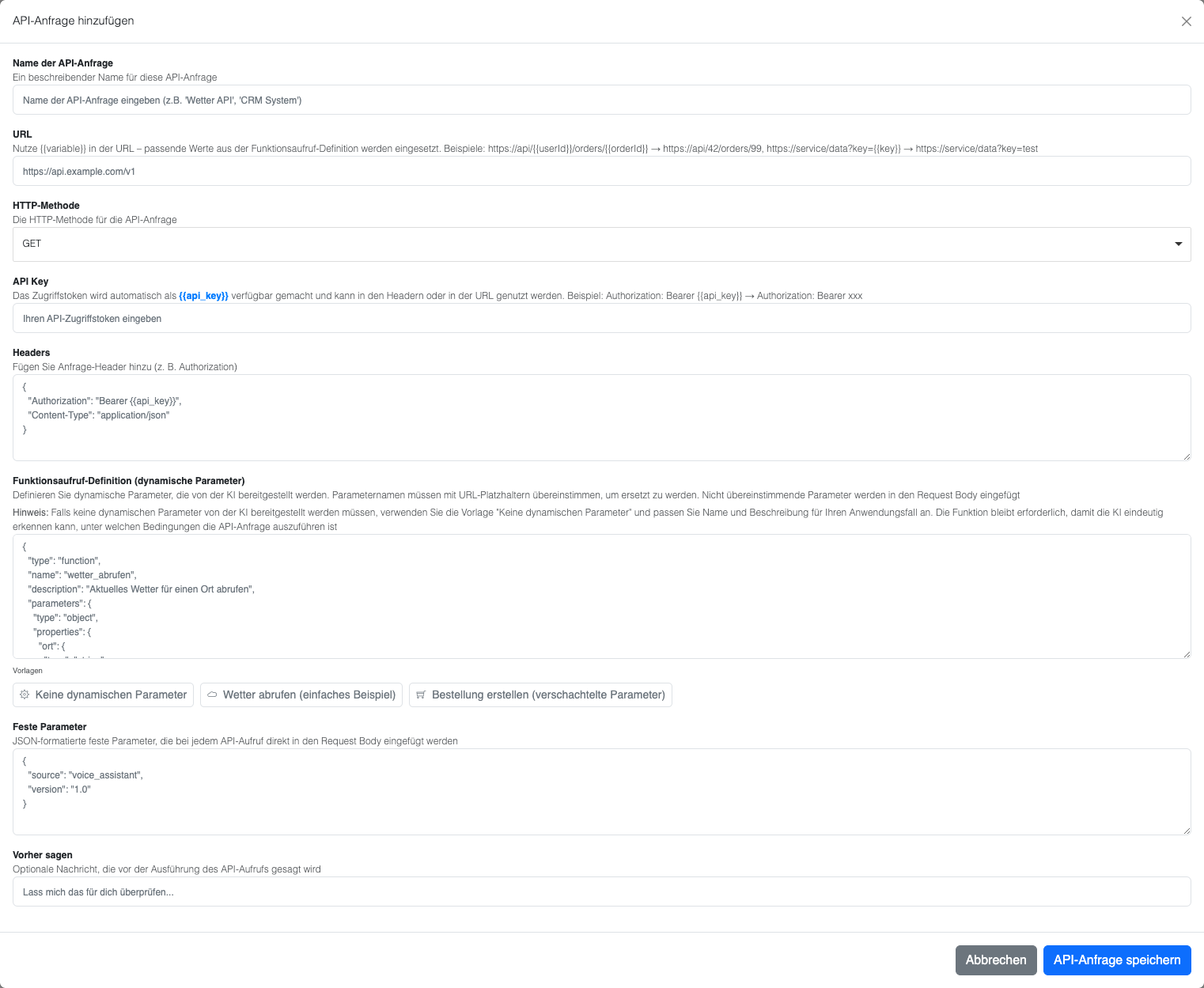
Form fields explained
API request name
A descriptive name for your API request (e.g. “Create product order”)URL
The API endpoint URL. You can use placeholders like{{userId}}, which are replaced with values from your dynamic function parameters.
- Example:
https://api.shop.com/orders/{{userId}}
HTTP method
Choose the HTTP method for your request (GET, POST, PUT, DELETE, etc.)API key
Your authentication token. It automatically replaces all{{api_key}} placeholders in your URL or headers.
Headers
HTTP headers for your request in JSON format:{{api_key}}is replaced with your API key
Function definition (dynamic parameters)
Define the parameters that users can pass when calling your function:- Replace matching placeholders in the URL and headers
- All dynamic parameters that do not match any placeholder are added to the request body
- Works with nested objects — e.g. the
orderDetailsobject is preserved in the body
Fixed parameters
Static values that are always included in every request:- Always added to the request body unchanged
- They do NOT replace placeholders in headers or the URL
Variables
Variables expose values from the API response as{{tool.<tool-name>.<variable>}} and pass them to other tools or to post-processing — server-side, so the value never passes through the AI. This lets you chain several API requests together.
Example: the kunde_suchen tool returns an id, and the bestellungen_abrufen tool then uses it to fetch the customer’s orders.
1
Define variables
Expand the “Variablen” section in the tool and fill in, per row:
-
Variable – the name you reference the value by (e.g.
id). -
Response path – the path to the value in the response in dot notation, starting with
response.(e.g.response.idorresponse.data.id). -
Default value (optional) – sent when the value is missing from the response.
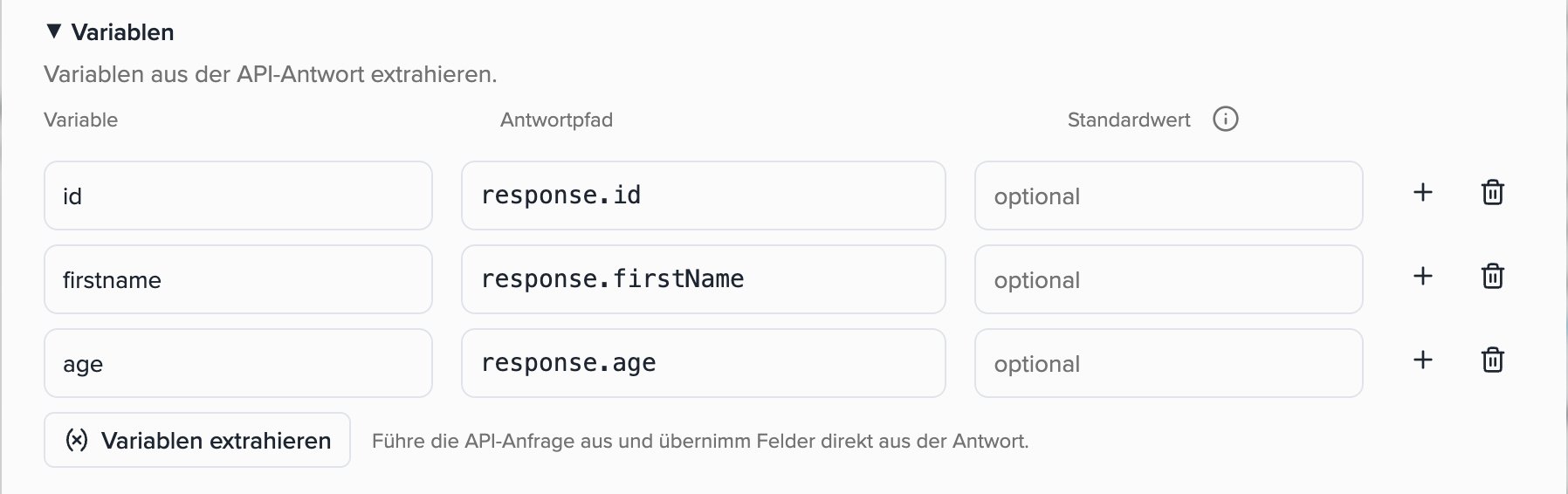
{{tool.<tool-name>.<variable>}}, e.g. {{tool.kunde_suchen.id}}.2
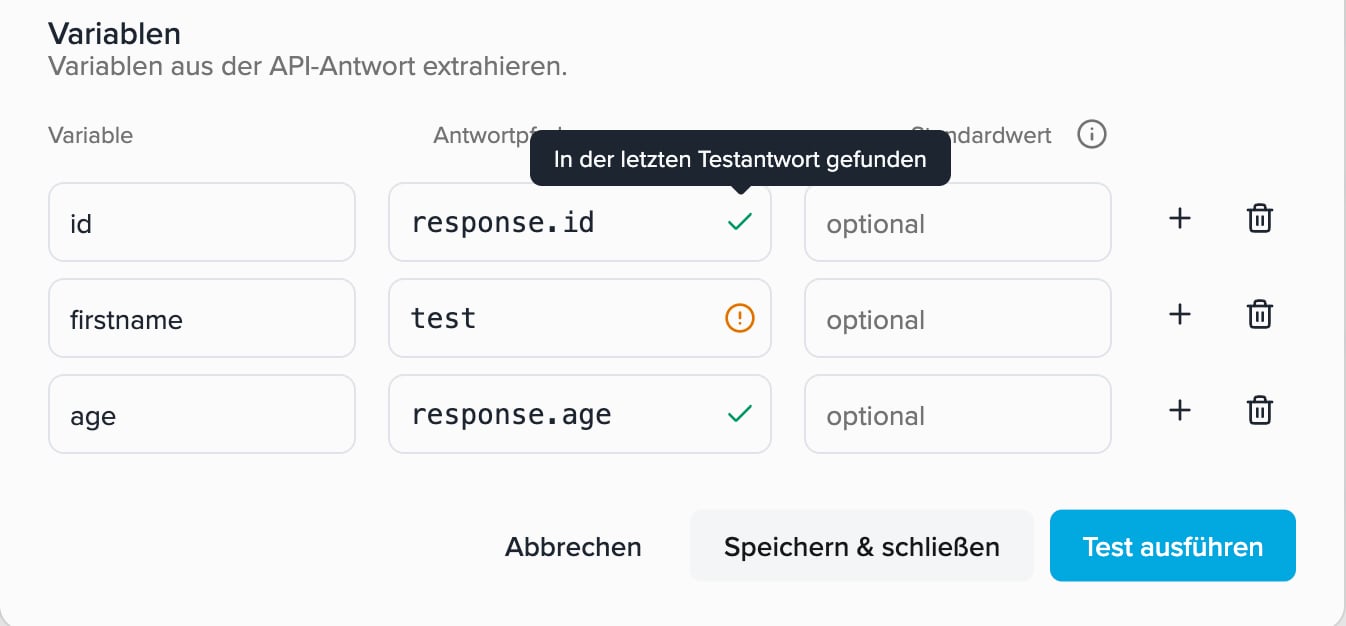
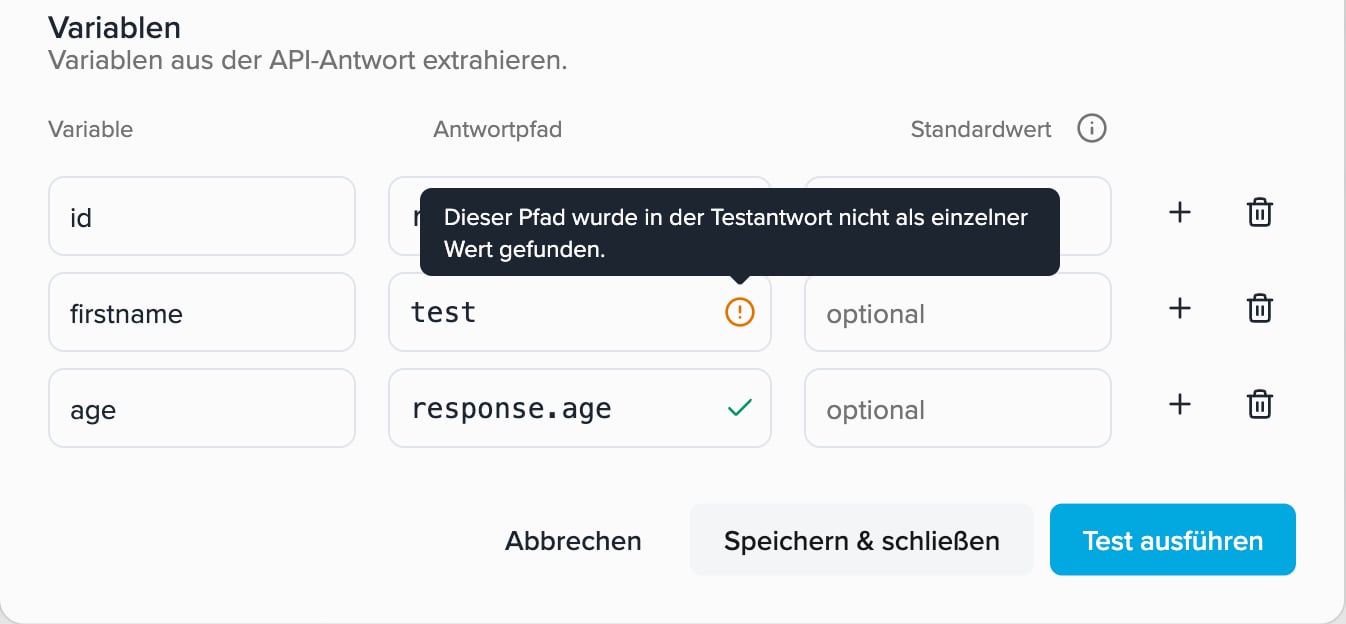
Capture fields from the test response (optional)
Instead of typing the path manually, click “Variablen extrahieren”: the API is tested once and you capture fields directly from the real response. Use the search to find the right field quickly.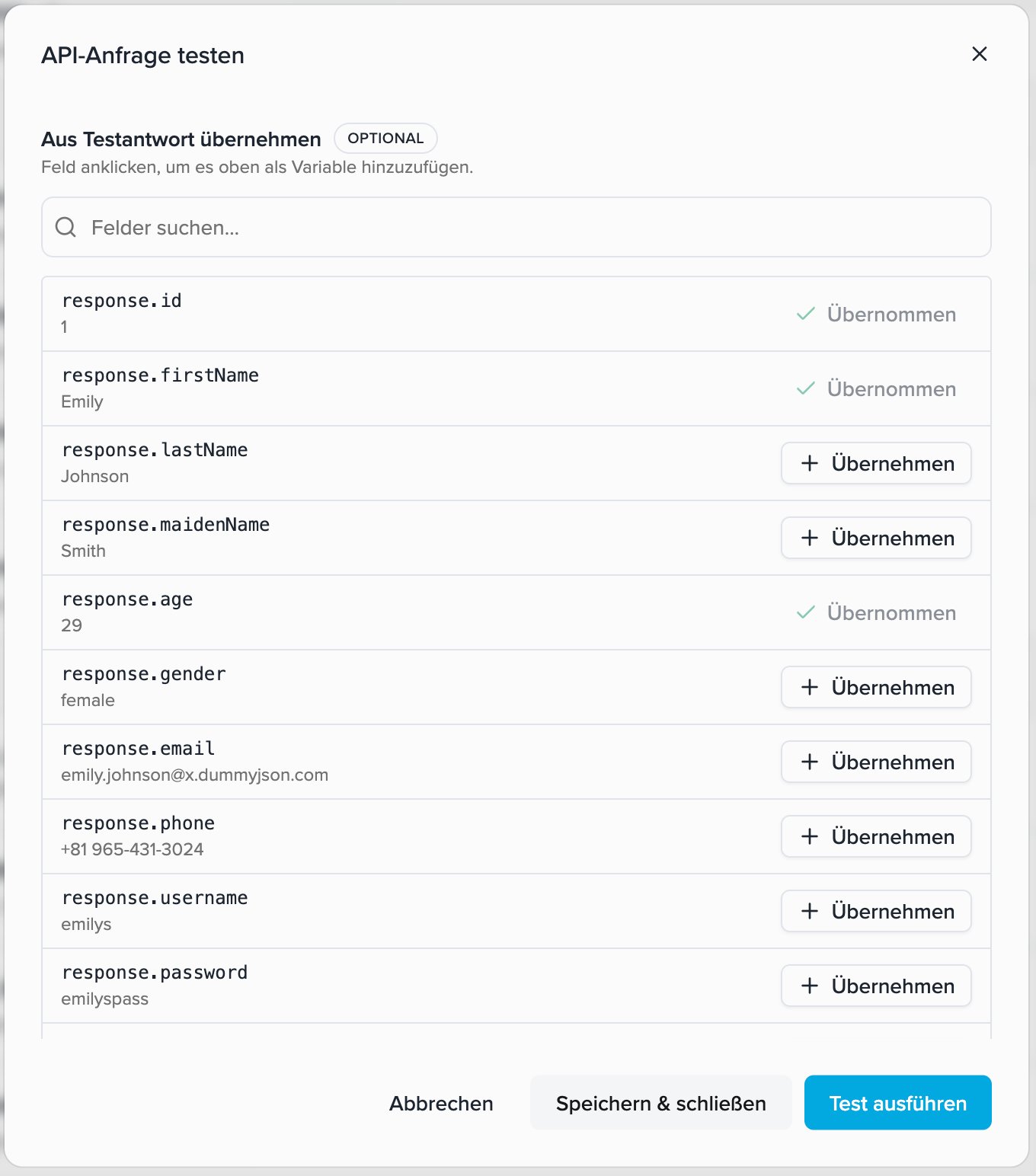
3
Use the variable in another tool
Use the variable in another API tool’s URL, headers or fixed parameters (request body). As soon as you type 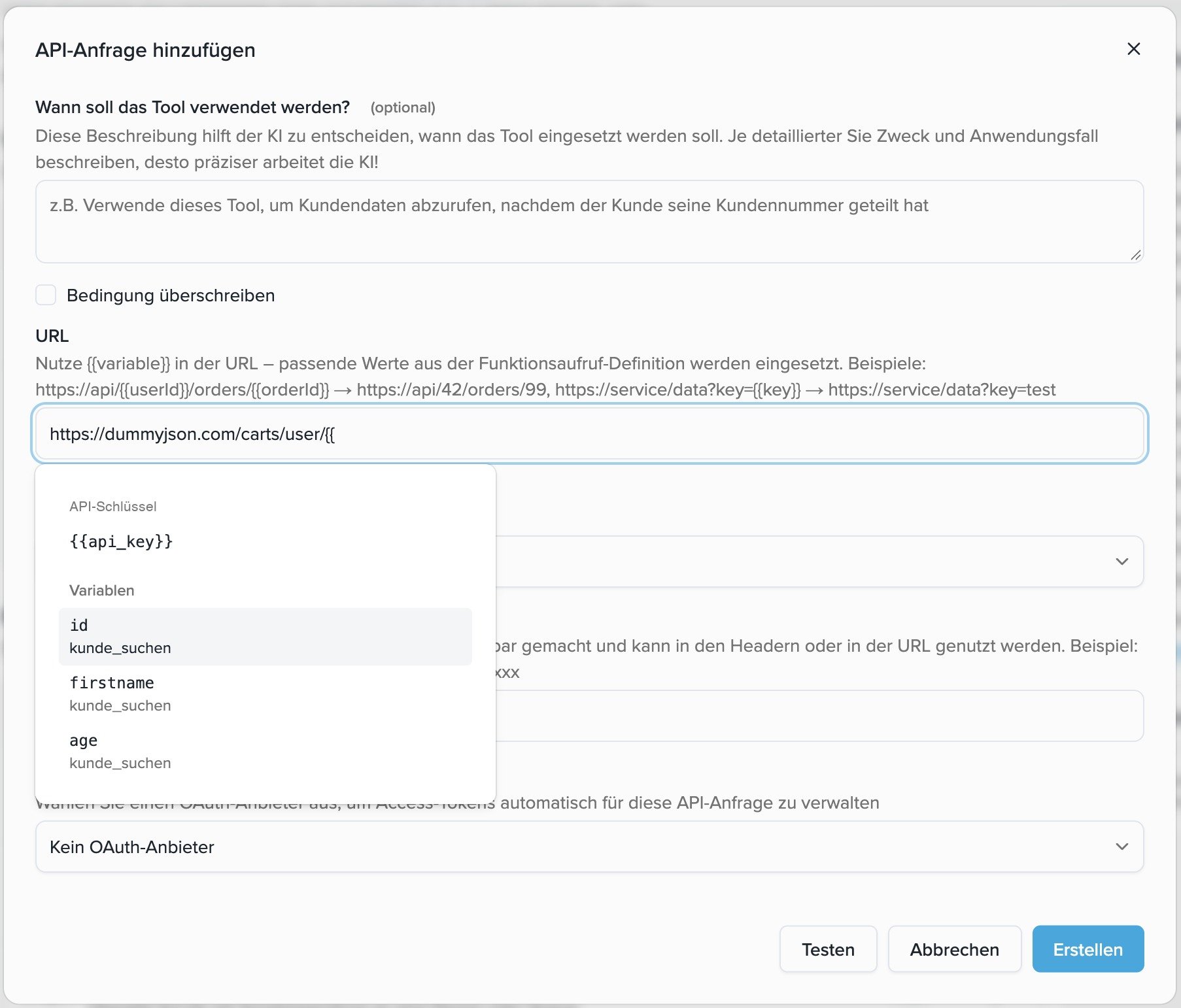
{{, a dropdown appears to pick the variable.4
Test a chained request
If a request uses variables from other tools, enter a sample value under “Testwerte für Variablen” when testing, so you can test the request on its own — without a real call.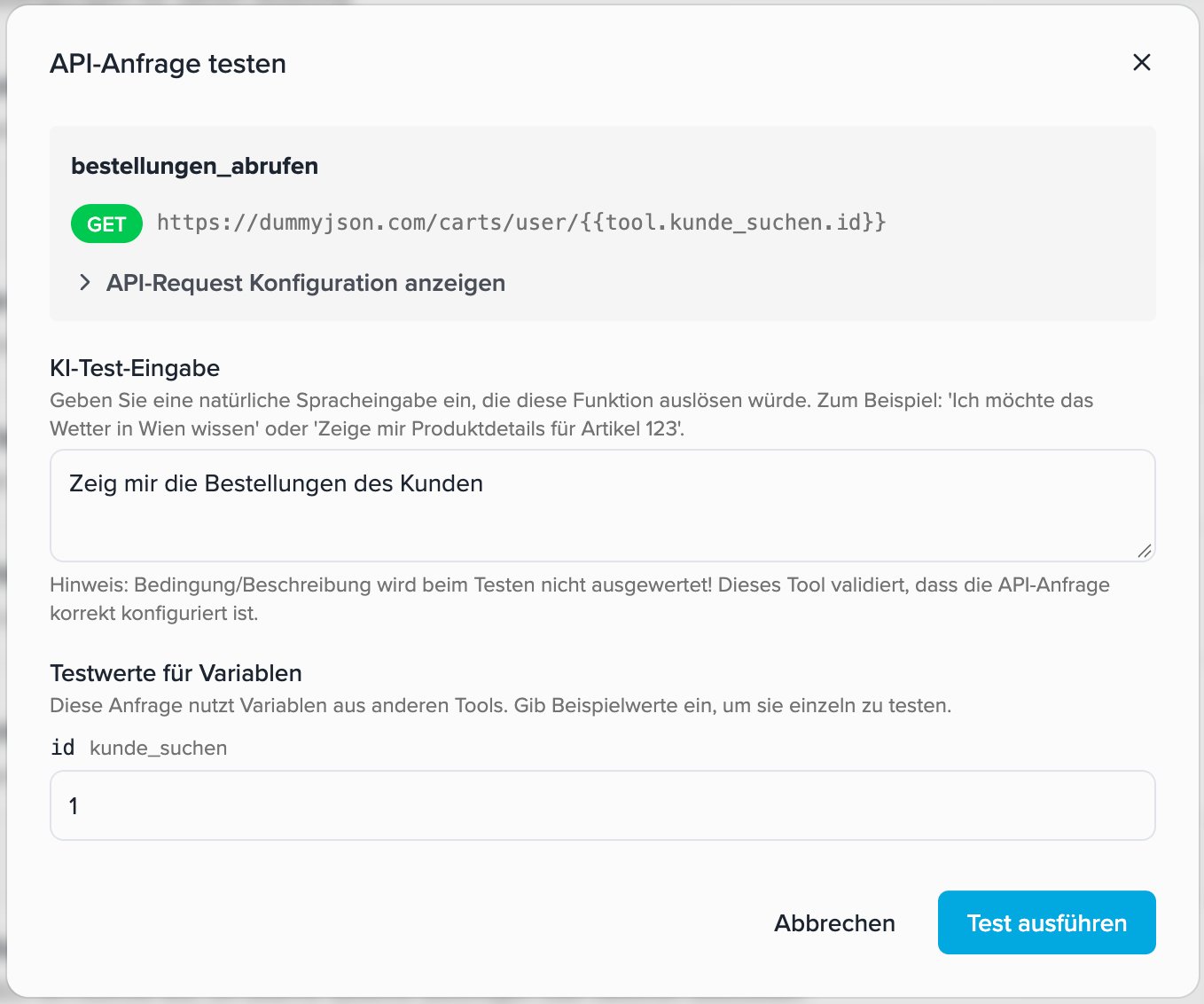
Variables are resolved server-side and inserted directly into the outgoing request — the value never passes through the AI. This is reliable and also safe for sensitive values such as tokens, which the AI might otherwise corrupt.
{{ opens a dropdown everywhere. Not yet available in call forwarding or the prompt/greeting, since those are resolved before any tool runs.
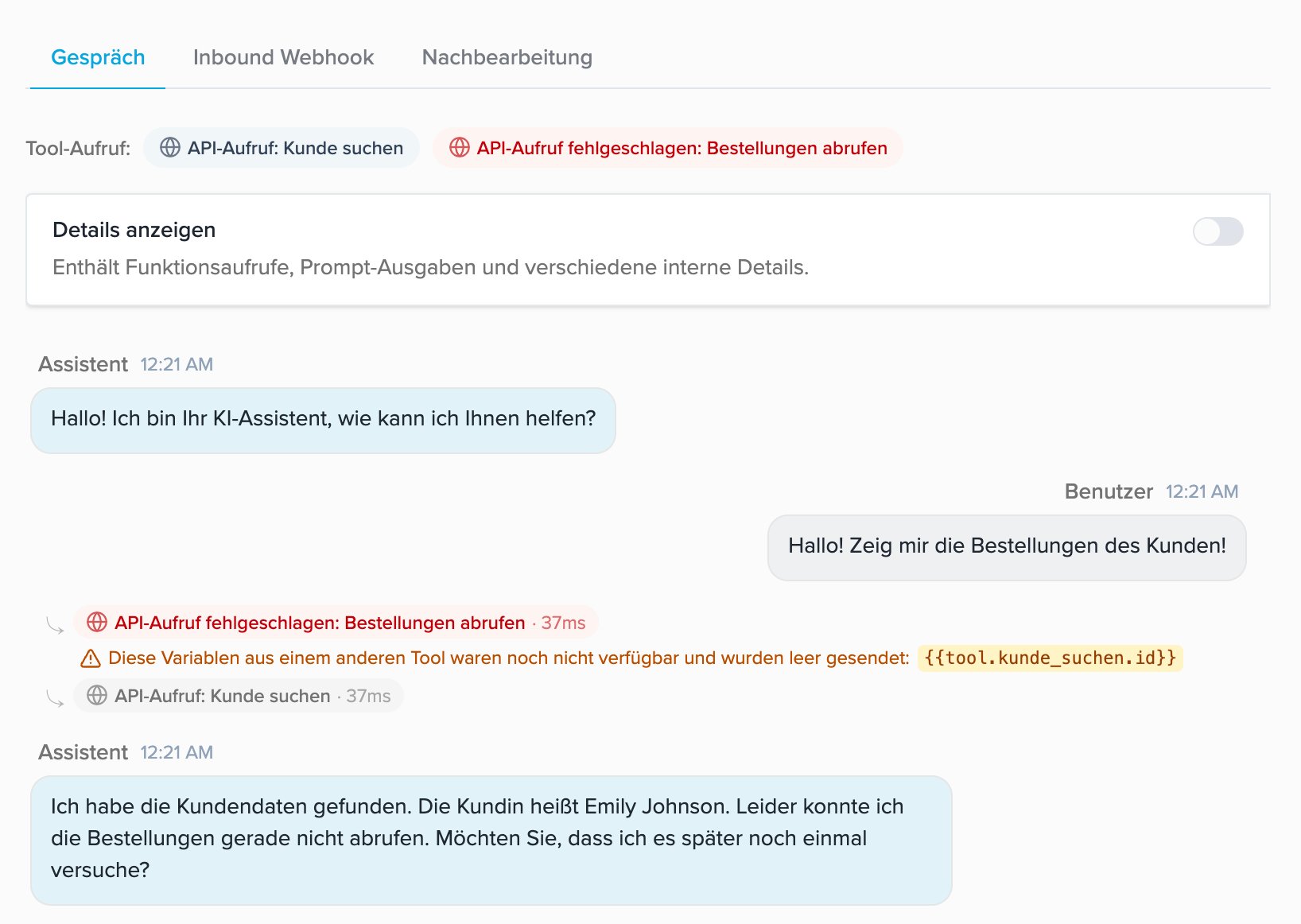
When a value is unavailable: if the source tool hasn’t run yet in the conversation, the variable is sent empty (or the default value, if set). The conversation view shows, on the relevant tool call, that a variable was unavailable.
Say before
An optional message the AI assistant says to the user before the API request is executed. For example: “Ich erstelle jetzt Ihre Bestellung…” or “Einen Moment, ich rufe die Produktinformationen ab…”Example: GET request without dynamic parameters
Some API calls don’t need any parameters from the AI — for example “Get all products”. In this case, a function definition is still required so that the AI triggers the API request.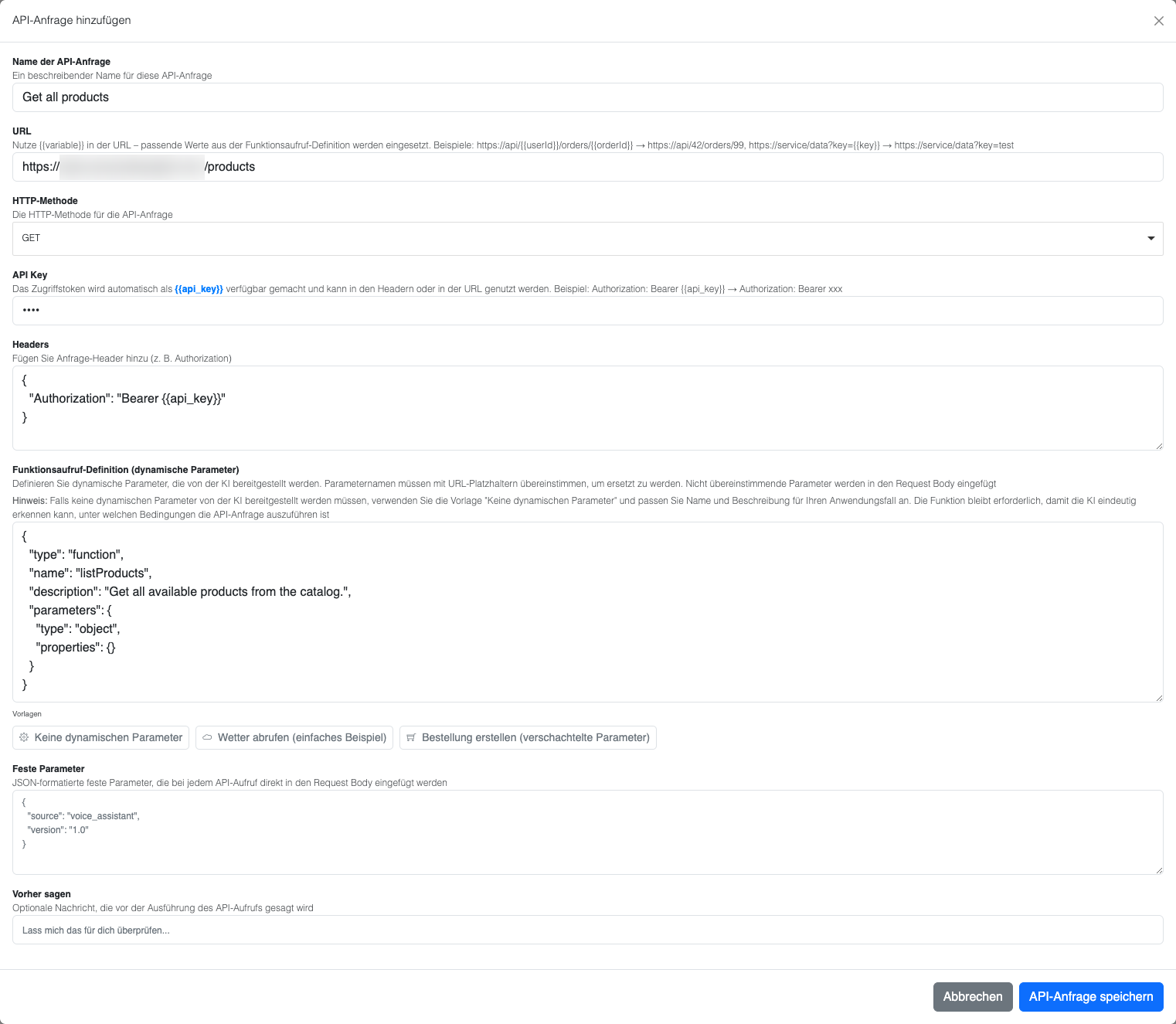
Configuration for “Get all products”
- API request name: “Get all products”
- URL:
https://example.proxy.beeceptor.com/products(example test endpoint) - HTTP method: GET
- API key: (empty or your API key)
- Headers: Standard GET headers
Function definition without parameters
Click “No dynamic parameters” to get a template:- A meaningful function name and description are crucial, because the AI needs to understand when to call the function
- Add explicit instructions in the user prompt if the AI has trouble
- The empty
properties: {}is required for a valid function definition
Resulting HTTP request
Based on the configuration above, the following HTTP request is created:- URL: Direct URL without placeholder substitutions
- Headers: GET headers with Bearer API token
- Parameters: No dynamic parameters required
How the final request is built
- URL: Placeholders are replaced with dynamic function parameters
- Headers:
{{api_key}}is replaced with the API key, other placeholders with dynamic parameter values - Body: Combination of fixed parameters + dynamic parameters that don’t match any placeholder
Example of the final HTTP request
Based on the parameters above, the following HTTP request is created:- URL:
{{userId}}was replaced with “user123” - Headers:
{{api_key}}was replaced with your actual API key - Body: Contains both fixed parameters (storeId, paymentMethod, currency) and dynamic parameters (orderDetails)